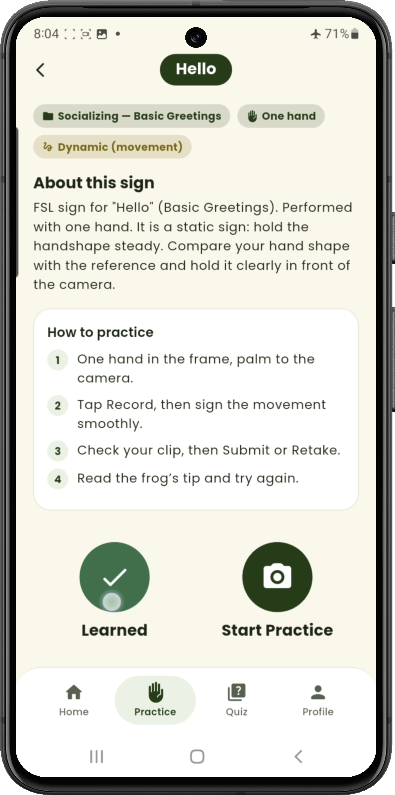
Learn the Sign
In Practice, open a module and tap a sign. Watch the demo and read How to practice, then tap Start Practice to open the camera.
Quick Start Guide: Practice
Six steps from opening a sign to reading your result. The photos below are taken straight from the app — follow them in order and you'll make your first checked sign in minutes.
In Practice, open a module and tap a sign. Watch the demo and read How to practice, then tap Start Practice to open the camera.
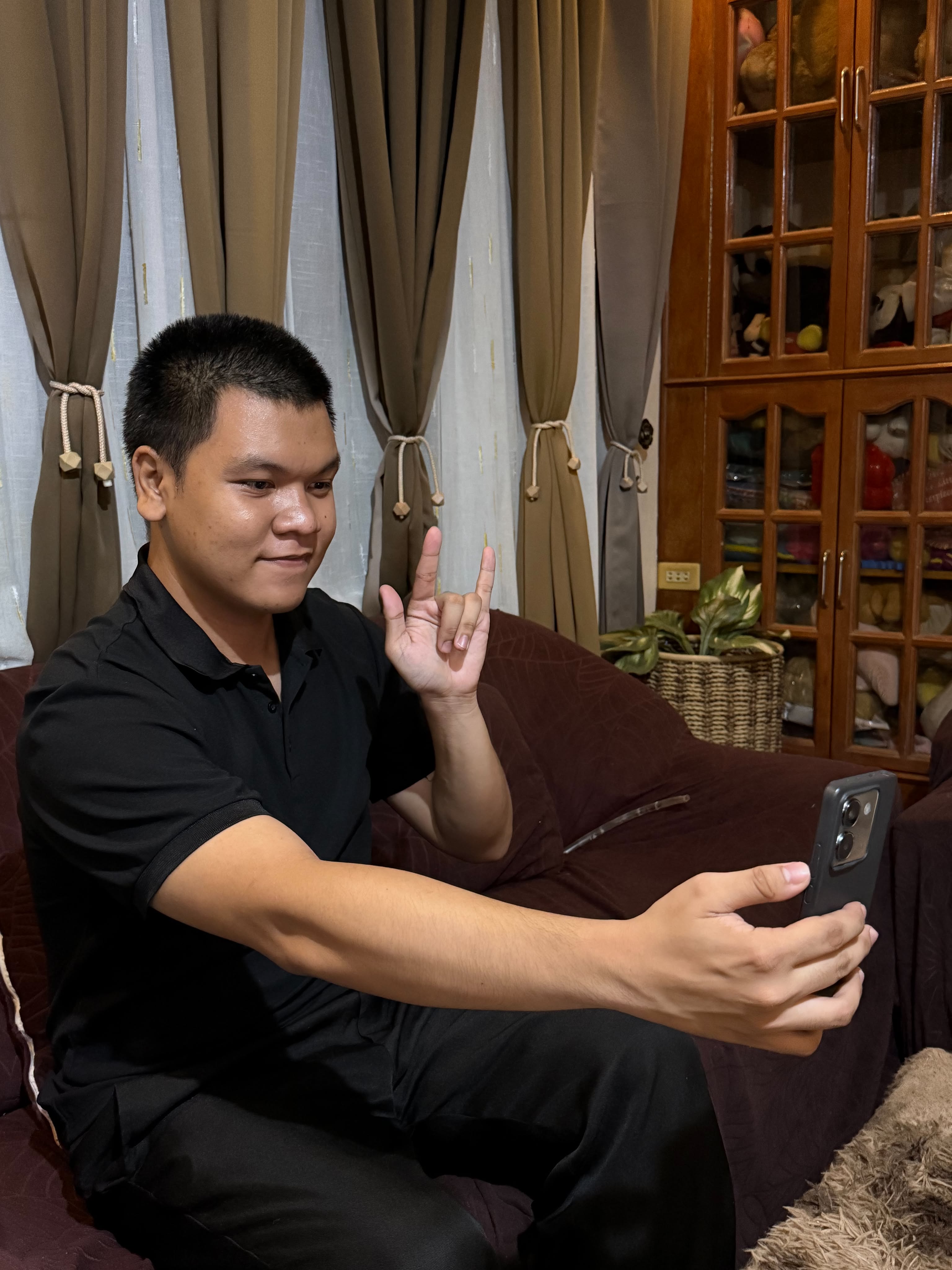
Hold or prop your phone about an arm's length away so your head, shoulders, and hands fit inside the guide on screen.
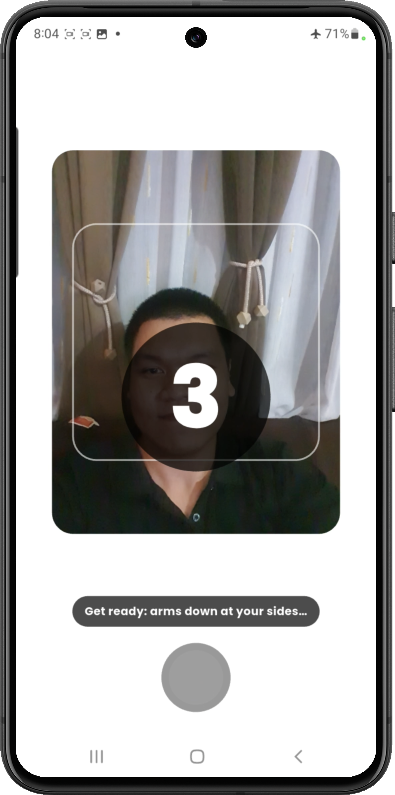
Tap the Record button. During the countdown, rest your arms at your sides. When recording starts, perform the sign, then tap the button again to stop.
For static signs: The app takes a photo when the countdown ends, so hold the handshape inside the guide.
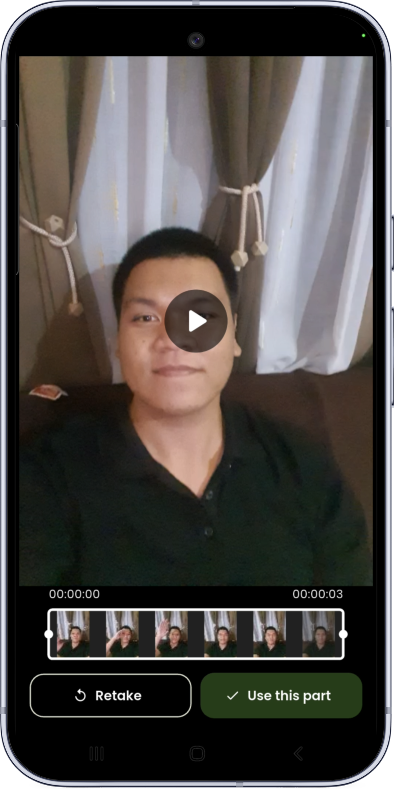
Movement signs only.
Drag the handles to keep just the part where you sign, then tap Use this part. To keep the whole clip, tap Use this part without moving the handles.
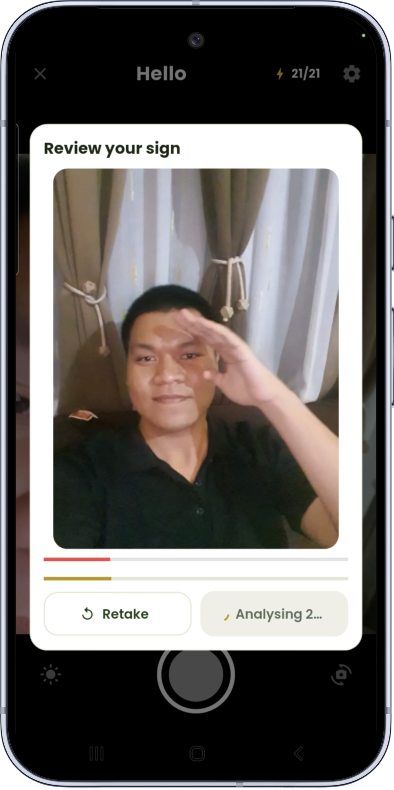
Watch the replay and make sure your hands and upper body are visible. When the check finishes, tap Submit, or tap Retake to record again.
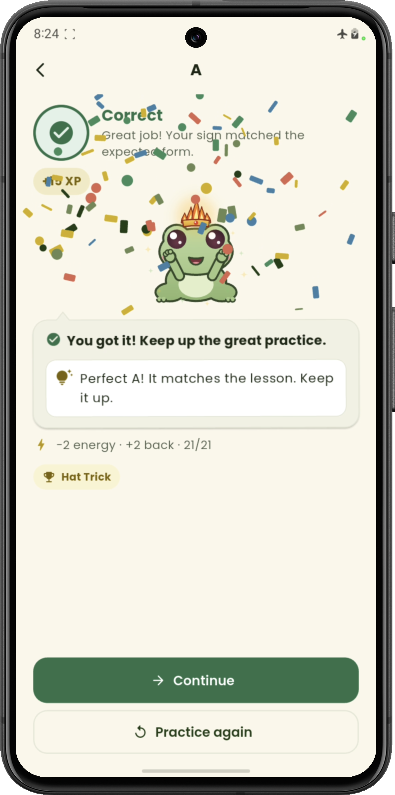
Every check ends in one of three outcomes:
Tap Continue to move on, or Practice again.
Tap View demonstration, then Try again.
Tap View camera tips, then Recapture.
Install FSLAMES, open Practice, and follow the six steps with the sign you're learning today.
Download APKVersion 2.0.0 · 126 MB · Android 10+
The APK link is not configured yet — see public/config.js.